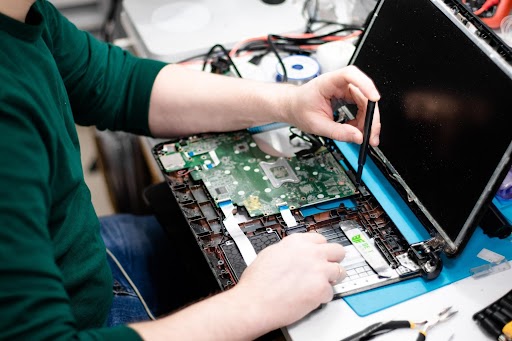
When a laptop suddenly slows down, freezes repeatedly, or fails to open even basic applications, the issue often goes deeper than ordinary glitches. In many cases, corrupted software silently affects system performance, making devices unreliable for daily use. This is where professional IT repair services become essential, as they use structured diagnostic methods and advanced recovery tools to restore system stability quickly and efficiently.
Unlike basic troubleshooting, certified technicians focus on identifying root causes, repairing damaged system files, and optimizing performance so the issue does not return.
Understanding What Software Corruption Actually Means
Software corruption happens when critical system files or applications become damaged, incomplete, or misconfigured. This can disrupt the normal functioning of the operating system and connected applications.
Common causes include:
- Sudden system shutdowns or power failures
- Malware or virus infections
- Failed software or OS updates
- Faulty hardware interactions
- Interrupted installations or uninstallations
Common signs of corruption include:
- Frequent application crashes
- Slow booting or system lag
- Missing or unreadable system files
- Repeated error notifications
- Programs not opening or responding
When these signs appear together, it usually indicates deeper system instability that requires expert intervention.
Why Fast Fixing Requires Technical Expertise
Fixing corrupted software is not just about reinstalling programs or restarting the system. Certified technicians follow a structured process that ensures both recovery and long-term stability.
Why expertise is necessary:
- Accurate identification of hidden system errors
- Safe recovery of important files and settings
- Prevention of data loss during repair
- Detection of malware or deeper system threats
- Ensuring compatibility after system restoration
Without proper expertise, users may accidentally worsen the issue by deleting important system files or applying incorrect fixes.
Step-by-Step Diagnosis of Software Issues
Before applying any fixes, professionals carry out a detailed system diagnosis to pinpoint the exact problem.
Diagnostic process includes:
- Full system scan for corrupted or missing files
- Checking operating system integrity
- Reviewing recently installed updates or applications
- Testing drivers and system compatibility
- Running malware detection tools
This step ensures that technicians address the actual root cause rather than just treating surface-level symptoms.
System Restoration and File Repair Techniques
Once the issue is identified, technicians use advanced repair techniques to restore system functionality.
Common repair methods include:
- System file repair using built-in recovery tools
- Operating system restoration or reinstallation
- Registry cleanup and optimization
- Driver repair and updates
- Secure recovery from backup points
In more severe cases, partial system rebuilds are performed to ensure full stability without affecting user data.
Role of Advanced Tools in Fast Recovery
Certified repair centers rely on professional-grade diagnostic and recovery tools that are far more powerful than standard user software.
These tools help with:
- Deep system analysis and fault detection
- Automated malware removal
- Data recovery from damaged drives
- Performance benchmarking and optimization
- Boot repair and system recovery
These tools significantly reduce repair time while improving accuracy and success rates.
Importance of Preventing Data Loss During Repairs
Data protection is one of the most critical aspects of software repair. Professionals always ensure that user files remain safe throughout the process.
Data safety measures include:
- Creating full system backups before repairs
- Cloning storage drives if necessary
- Isolating corrupted system partitions
- Recovering files before reinstalling OS
- Using secure recovery environments
This ensures that even in severe corruption cases, important documents, media files, and business data remain protected.
How IT Experts Restore System Performance Quickly
Once corrupted software is repaired, systems often require optimization to return to full efficiency. This step is crucial for smooth performance.
Performance restoration steps:
- Removing unnecessary startup programs
- Cleaning temporary and junk files
- Updating drivers and firmware
- Optimizing memory and CPU usage
- Adjusting system performance settings
At this stage, IT repair services ensure the system is not only functional but also optimized for speed and stability.
Hardware Check During Software Repair
Although the issue may appear software-related, hardware often plays a supporting role in system instability.
Hardware checks include:
- RAM health and performance testing
- Storage drive condition analysis
- CPU temperature monitoring
- Motherboard diagnostics
- Power supply stability checks
Identifying hardware faults early helps prevent repeated software corruption in the future.
Importance of Regular Laptop Maintenance
Routine maintenance significantly reduces the chances of software corruption and improves overall system lifespan.
Benefits of regular maintenance include:
- Early detection of system errors
- Improved processing speed
- Reduced malware risk
- Better software stability
- Extended device lifespan
This is why many users rely on structured laptop service support for long-term system health and reliability.
Why Speed Matters in Software Recovery
Fast recovery is essential, especially for professionals, students, and businesses who depend on uninterrupted system access.
Speed benefits include:
- Reduced downtime and productivity loss
- Quick restoration of essential tools and files
- Faster return to work or study
- Immediate system usability
- Lower risk of data disruption
Certified technicians prioritize both speed and accuracy to ensure efficient recovery without compromising quality.
When You Should Seek Professional Help
Not all software issues can be resolved with basic troubleshooting. Some situations require immediate expert attention.
You should seek help when:
- System crashes repeatedly without warning
- Operating system fails to boot properly
- Antivirus tools cannot remove threats
- Files become inaccessible or corrupted
- Reinstallation does not resolve issues
Delaying professional repair can increase system damage and lead to permanent data loss.
Preventing Future Software Corruption
Prevention is always better than repair. Users can take simple steps to reduce the risk of software corruption.
Preventive practices include:
- Regular system updates
- Installing trusted software only
- Avoiding forced shutdowns
- Using reliable antivirus protection
- Scheduling periodic system scans
These habits significantly improve long-term system stability.
Conclusion
Certified IT repair services help fix corrupted software quickly and safely using structured diagnosis, advanced tools, and performance optimization techniques. They ensure systems are restored efficiently without risking user data, while improving overall speed, stability, and long-term reliability through expert handling and accurate problem resolution.
If you are looking for reliable and fast IT support laptop service, professional repair services can make a significant difference in restoring your device’s performance. Fixora IT Services is a Bengaluru-based IT solutions provider offering laptop and computer repair services, including hardware upgrades, software installation, data recovery, and motherboard repair. With chip-level expertise and a customer-focused approach, the company delivers fast, reliable, and affordable support, including doorstep service for both individuals and businesses.
About The Author