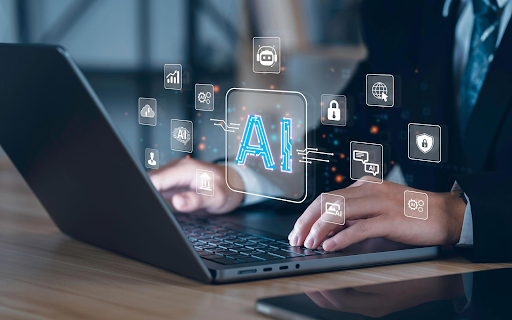
AI PCs are changing how we work and create content every single day. These powerful machines process artificial intelligence tasks right on your device without sending data to the cloud. The secret behind this capability lies in something called TOPS or Tera Operations Per Second. This metric measures how many trillion operations your PC can handle each second when running AI workloads.
Modern AI PCs typically offer between 40 and 100 TOPS of processing power. This power enables your computer to perform complex tasks like real-time translation and image generation instantly. Understanding TOPS helps you choose the right AI PC for your needs. The more TOPS your system has, the smoother your AI experience becomes.
Let us walk you through six essential AI tasks that rely heavily on TOPS performance.
1. Real-Time Video Background Removal During Calls
Video conferencing has become part of our daily routine at work and home. Background removal technology uses AI to separate you from your surroundings during video calls. Your AI PC analyzes each video frame in real-time to identify you from the background using on-device computer vision to deliver clean, lag-free video without cloud processing.
The system then blurs or replaces your background with a custom image. This process happens 30 to 60 times per second to maintain smooth video quality.
Why TOPS Matter for Video Processing
Processing video streams requires substantial computing power. Each frame contains millions of pixels that need instant analysis. Higher TOPS counts ensure your background stays crisp without lag or glitches.
The AI model must distinguish between:
- Your hair and clothing edges.
- Moving objects in the background.
- Lighting changes throughout the call.
- Hand gestures and body movements.
Systems with 45+ TOPS handle this task effortlessly while maintaining other applications. Lower TOPS counts may cause stuttering or reduced video quality during calls.
2. Intelligent Photo Enhancement and Editing
The photo editing of the present day is no longer limited to the application of basic filters and making adjustments. The utilization of AI technologies for enhancement has the power to change the appearance of regular pictures into those of top-quality ones.
Your AI PC examines every pixel to understand the content of your photos. The system identifies faces, objects, and landscapes automatically. It then applies targeted improvements based on what it detects.
These enhancements include:
- Automatic color correction and white balance.
- Noise reduction in low-light photos.
- Smart sharpening of blurry images.
- Object removal and background replacement.
- Portrait mode with natural bokeh effects.
Processing Speed and Quality Balance
Photo editing AI models need quick processing to maintain your creative workflow. A 4K photo contains over 8 million pixels that require individual analysis.
Higher TOPS enable:
- Instant preview of edits.
- Batch processing multiple images.
- Complex multi-layer adjustments.
- Real-time filter applications.
With AI PCs expected to surpass $260.43 billion by 2031, TOPS TOPS lets AI PCs deliver instant, high-quality photo edits without delays or cloud dependence.
3. Live Language Translation and Transcription
AI recognizes oral speech and transcribes it to text without any delay. After that, it turns this text into your selected language. The system is able to vocalize the translation with the help of human-like voices.
This technology proves valuable for:
- International business meetings.
- Foreign language learning.
- Watching content in other languages.
The Complexity of Language Processing
Language translation involves multiple AI operations happening simultaneously. The system must understand context and grammar, and cultural nuances.
Each second of speech generates substantial data that needs processing. The AI must:
- Recognize different accents and speaking speeds.
- Understand sentence structure and meaning.
- Find accurate word equivalents.
- Maintain natural phrasing in translation.
4. Smart Writing Assistance and Content Generation
Your AI computer is capable of analyzing your writing style as well as the context of your paper. Based on this, it gives you suggestions for enhancing the accuracy, grammar, and tone in real time.
- Sentence completion suggestions.
- Tone adjustment recommendations.
- Content summarization.
- Paragraph generation from brief notes.
- Citation and reference management.
Higher TOPS counts enable the AI to understand complex writing contexts. Systems with 55+ TOPS handle technical writing and creative content equally well.
5. Advanced Voice Commands and Digital Assistants
With voice-activated AI assistants, your computer is more user-friendly and accessible. The technology comprehends the spoken language and carries out the orders without any typing.
Contemporary AI assistants are capable of performing a wide range of tasks beyond simple commands. They are able to grasp the situation based on prior dialogs as well as your behaviors. This comprehension enables them to predict your requirements and to give you suggestions even before you ask for them.
Voice assistant capabilities include:
- Opening applications and files
- Scheduling meetings and reminders
- Searching documents and emails
- Controlling system settings
- Answering questions about your data
- Creating content from voice dictation
Processing Natural Language Efficiently
Understanding human speech requires sophisticated AI processing. The system must filter background noise, recognize your voice, and interpret meaning.
Each spoken command goes through multiple analysis stages:
- Audio signal processing
- Speech-to-text conversion
- Intent recognition
- Action execution
- Response generation
PCs with 45+ TOPS provide instant responses to voice commands. This responsiveness makes voice interaction feel natural rather than frustrating.
6. Creative AI Art and Image Generation
Generating images from text descriptions represents one of the most TOPS-intensive tasks. Your AI computer generates one-of-a-kind paintings influenced by your written suggestions.
The AI model is capable of comprehending visual ideas because it has been trained on millions of pictures. When you describe what you want, it assembles this knowledge into new creations.
Image generation allows you to:
- Create custom illustrations for projects
- Design unique graphics and logos
- Generate concept art and mockups
- Produce social media content
- Visualize ideas quickly
Understanding the Computational Demands
To generate just one AI image, a billion calculations would be needed. The process begins with pure noise, and the AI slowly alters this noise into a recognizable picture.
This process requires:
- Understanding text descriptions.
- Translating words into visual elements.
- Composing balanced scenes.
- Rendering fine details.
Systems with 70+ TOPS generate images in 10-30 seconds. Lower TOPS counts may take several minutes per image or produce lower quality results.
Conclusion
TOPS performance determines how well your AI PC handles demanding artificial intelligence tasks. From video calls to creative projects, these seven tasks showcase why TOPS matter. Higher TOPS counts deliver faster processing, better quality, and smoother experiences. As AI applications become more sophisticated, TOPS requirements will continue growing.
Choosing an AI PC with adequate TOPS ensures your system remains capable for years. Consider your primary use cases when selecting your next computer. The right TOPS level transforms your PC from a simple tool into an intelligent, creative partner.
About The Author