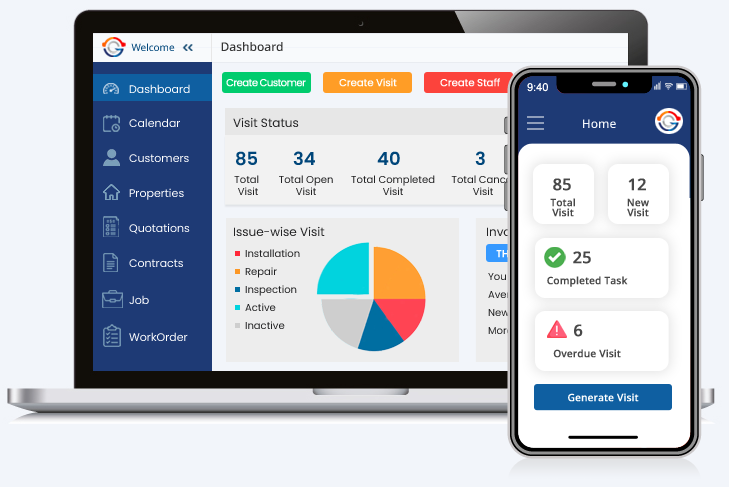
Managing field teams is one of the toughest parts of running a service business. Whether you work in HVAC, landscaping, contracting, or janitorial services, keeping schedules organised and staff on track is no small task.
Many businesses still rely on traditional scheduling tools like paper diaries, spreadsheets, or digital calendars. While these methods can handle a small team, they often cause problems as the workload grows.
Missed jobs, double bookings, and poor communication become common. Field management software, such as landscaping management software or other forms of service management software, was created to solve these issues. It offers more than scheduling. It connects managers, staff, and customers in one system. With live updates, job tracking, and built-in invoicing, it gives businesses the control they need to grow with confidence and fewer mistakes.
What Are Traditional Scheduling Tools?
Traditional scheduling tools are basic systems for booking jobs and shifts. They include:
- Paper diaries and printed rotas.
- Shared spreadsheets for weekly planning.
- Digital calendars are used by small teams.
These tools can work for a handful of staff. But as soon as the workload grows, the cracks show.
The Drawbacks
- Mistakes are common: Manual entries often lead to errors.
- No live updates: Staff do not see changes until told.
- Lack of connection: They do not link with billing, stock, or customer details.
- Poor oversight: Managers struggle to see progress or track workers in the field.
Traditional tools may be cheap, but they are not built for scale.
What Is Field Management Software?
Field service management software is designed for service businesses that send staff out on jobs. It is more than a diary. It manages scheduling, job details, customer history, billing, and reporting in one place.
Office teams use it to assign jobs. Field staff get updates straight on their phones. They can log progress, upload photos, or confirm job completion while on-site.
How Field Management Software Works
A typical setup covers:
- Job scheduling – Managers match staff with the right job.
- Live updates – Field workers get instant alerts.
- Tracking – Progress can be viewed in real time.
- Customer records – Details and history stored for quick access.
- Billing – Invoices are generated as soon as a job is done.
Key Differences
Scheduling
- Traditional: Slow updates, high chance of double booking.
- Software: Real-time changes with alerts to staff.
Communication
- Traditional: Relies on phone calls, notes, and texts.
- Software: Built-in messaging keeps details clear.
Oversight
- Traditional: Little visibility on job status.
- Software: Managers see progress as it happens.
Customer Service
- Traditional: Clients wait without clear updates.
- Software: Sends reminders and confirmations to customers.
Growth
- Traditional: Breaks down with larger teams.
- Software: Handles more staff, jobs, and regions without chaos.
Why Businesses Move Away from Traditional Tools
Customer expectations are higher than ever. People want quick service, accurate times, and clear pricing. Traditional scheduling struggles here.
Examples:
- An HVAC firm may double-book staff. With HVAC service management software, jobs are assigned correctly.
- A contracting business may lose track of project stages. General contracting software keeps milestones clear.
- A landscaping team may forget seasonal visits. Landscaping management software sets reminders.
- A janitorial service may confuse shift changes. Janitorial software shares schedules instantly with workers.
Industry Benefits
HVAC Service Management Software
- Matches jobs to skills.
- Stores client service history.
- Mobile access reduces office trips.
General Contracting Software
- Tracks several projects at once.
- Manages costs, deadlines, and tasks.
- Keeps subcontractors aligned.
Landscaping Management Software
- Automates repeat jobs.
- Tracks crews in the field.
- Connects job completion to invoices.
Janitorial Software
- Simplifies shift planning.
- Includes digital checklists.
- Provides proof of completed work.
The Real Cost of Traditional Tools
Sticking with outdated tools costs more than many realise:
- Time wasted fixing errors.
- Lost clients through missed jobs.
- Blocked growth due to poor systems.
- Stress for managers trying to control chaos.
In contrast, service management software saves time, reduces mistakes, and improves client trust.
When to Switch
You should consider upgrading if:
- Jobs are missed or double-booked.
- Staff often phone in for job details.
- Customers complain about poor updates.
- Invoices take too long.
- Managers feel overloaded.
Conclusion
The difference between traditional scheduling tools and field management software stands out. Traditional methods may fit when teams are small, but they soon break under pressure. They cause mistakes, waste time, and block growth.
Field management software clears these problems by joining scheduling, communication, job tracking, and billing into one system. For industries like HVAC, general contracting, landscaping, and janitorial services, this shift brings shape and strength. Customers stay updated, managers guide with ease, and staff work with focus.
Businesses that aim to grow and win in today’s service market cannot lean on old systems. Moving to service management software gives more than an upgrade—it builds the base for a smoother, stronger, and customer-first future.
About The Author