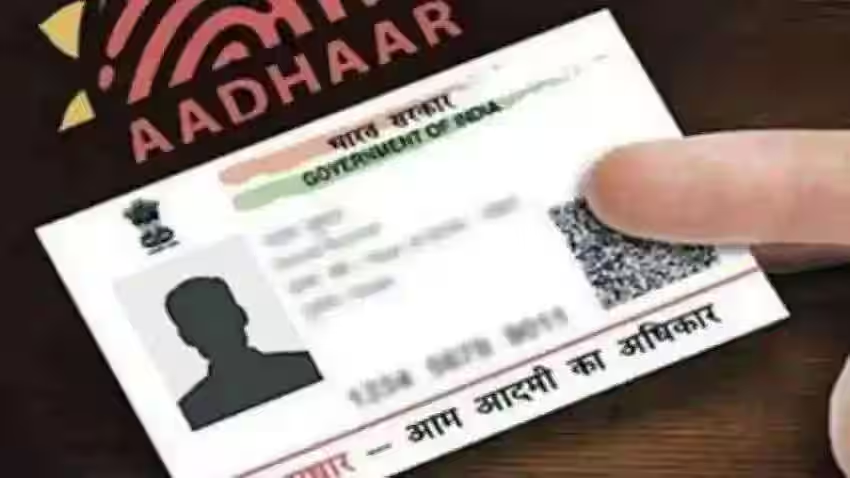
The Aadhaar card is a significant document for Indian citizens, serving as proof of identity and address across various sectors. With advancements in digital technology, accessing your Aadhaar card has become incredibly convenient through the online platform provided by the Unique Identification Authority of India (UIDAI). This process not only eliminates the need to visit any physical center but also ensures that users can download a digitally authenticated Aadhaar card at any time. Furthermore, verifying the digital signature on your e-Aadhaar is crucial to ensure its authenticity and acceptance across official platforms.
This article will walk you through the step-by-step process of how to perform an e Aadhaar card download online and answer the essential question, how to verify signature in Aadhaar card, while ensuring your Aadhaar card remains fully functional for all official purposes.
What is e-Aadhaar Card?
e-Aadhaar is an electronic version of the Aadhaar card that holds the same validity as its physical counterpart. It is accessible through the UIDAI website, where individuals can download a PDF of their Aadhaar card, secured with a password. Additionally, the document includes a digital signature added by UIDAI to verify its authenticity. This digital copy ensures convenience and accessibility, allowing individuals to access their Aadhaar details at any time.
Why Should You Download e-Aadhaar Online?
Downloading your Aadhaar card online offers several advantages:
- Accessibility: You get instant access to your Aadhaar card without waiting for a physical copy.
- Convenience: With a digitally stored card, you can use it for electronic submissions or print it out as needed.
- Authentication: The e-Aadhaar card includes a digital signature, proving its authenticity without the need for physical verification.
Whether you’ve lost your Aadhaar card, need quick access to your Aadhaar details, or prefer a digital copy for secure storage, downloading the e-Aadhaar online is the ideal approach.
How to Download e Aadhaar Card Online
Downloading your Aadhaar card online is a simple and streamlined process. Follow these steps to ensure you can access your digital Aadhaar without any hassle. If you’re looking for a quick and secure way, e aadhaar card download online is the recommended method provided by UIDAI.
Step 1: Access the Official UIDAI Portal
Visit the official UIDAI website at https://uidai.gov.in/ or the dedicated e-Aadhaar download page.
Step 2: Click on the “Download Aadhaar” Option
Once on the homepage, locate the “Download Aadhaar” option under the Aadhaar Services menu. This will redirect you to the e-Aadhaar download screen.
Step 3: Enter Required Information
You will be prompted to provide the following details:
- Aadhaar Number: Either your full Aadhaar number or Enrolment ID (EID) provided during registration.
- Security Captcha: Fill in the verification code displayed on the screen.
Step 4: Authentication via OTP or TOTP
UIDAI provides two methods of authentication:
- OTP (One-Time Password): An OTP will be sent to your registered mobile number for identity verification.
- TOTP (Time-Based One-Time Password): This option is available if you have the mAadhaar app installed. Use the TOTP generated on the app for authentication.
Once verified, proceed to the next step.
Step 5: Download the e-Aadhaar
After successful authentication, your e-Aadhaar card will be available for download in PDF format. Save the file to a secure location on your device.
Step 6: Open the PDF
The e-Aadhaar card is password-protected and requires a unique password to access. The password format is typically the first four letters of your name in uppercase, followed by your date of birth in DDMMYYYY format.
How to Verify Signature in Aadhaar Card
The e-Aadhaar card comes embedded with a digital signature issued by UIDAI to validate its authenticity. However, you need to ensure that your digital Aadhaar card remains compliant by verifying its signature appropriately. If you’re wondering how to verify signature in aadhaar card, here’s how:
Step 1: Open the Aadhaar PDF File
Locate the downloaded e-Aadhaar file on your device. Open it using a PDF reader (e.g., Adobe Acrobat Reader).
Step 2: Check for the Digital Signature
Inside the Aadhaar file, you’ll find a digital signature icon, typically visible as a small certificate embedded in the document. This signature is added by UIDAI to certify the document’s authenticity.
Step 3: Verify the Signature
- Click on the Digital Signature Icon: A signature validation status popup will appear.
- Validate the Signature: If the signature status is not valid, select the “Validate Signature” option in the popup.
- Set Up Trust Settings: Make sure to add UIDAI as a trusted certificate provider. Follow the on-screen steps to complete this process.
After successful validation, the green checkmark will appear next to the signature, signifying that the Aadhaar card is verified and authentic.
Key Benefits of Verifying the Digital Signature
Verifying the digital signature on your Aadhaar card ensures:
- Authenticity: Official acceptance of the e-Aadhaar for use in all government and non-governmental purposes.
- Legal Compliance: Many institutions require Aadhaar documents with verified digital signatures to meet legal standards.
- Security: Prevents misuse or duplication of fraudulent Aadhaar copies.
Frequently Asked Questions (FAQs)
1. Is the e-Aadhaar Downloaded Online Valid?
Yes, the e-Aadhaar downloaded online is valid for all official purposes, provided its digital signature is verified.
2. How Long Does It Take to Download the e-Aadhaar?
The process is instantaneous, and you can download the Aadhaar within minutes after completing the verification steps.
3. Can I Use e-Aadhaar if I Lose My Physical Aadhaar Card?
Yes, the e-Aadhaar card serves the same purpose as the physical card and can be used as proof of identity and address.
4. What if My Digital Signature Is Not Verified?
If the digital signature is not verified, it might lead to rejection during official submissions. Follow the prescribed steps to validate the signature and add UIDAI as a trusted certificate provider.
Conclusion
The ability to e Aadhaar card download online provides immense flexibility, allowing individuals to access their Aadhaar details quickly and conveniently. By leveraging the UIDAI platform, users can retrieve their Aadhaar card in a secure PDF format from virtually anywhere. Furthermore, knowing how to verify signature in Aadhaar card ensures its authenticity and compliance across various platforms.
Whether it’s for government schemes, banking services, or personal identification purposes, an e-Aadhaar card is indispensable in today’s digital age. By following the steps outlined in this article, you can seamlessly download and validate your Aadhaar card to ensure its usability. Make sure to perform regular signature verification to certify your digital Aadhaar remains legitimate and trusted.
With accessibility and security at the forefront, the process of downloading and verifying an Aadhaar card offers Indian citizens a reliable way to manage their personal identification with ease.
About The Author